
HDO BOX APK Download
HDO Box is an Android streaming app for movies, TV shows, Hollywood and Bollywood content, anime, subtitles, and HD video playback.
Important Player Requirement: To prevent video decoding errors, black screens, or audio lag, please install the companion Drama Player APK on your device alongside the main application before starting playback.
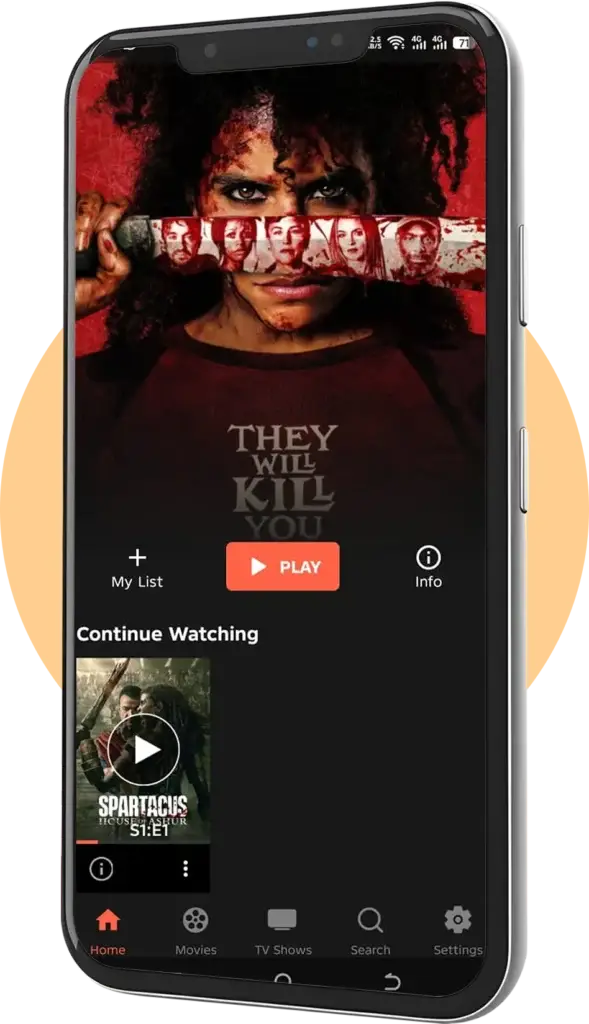
HDO Box
Online apps are one of the biggest sources of entertainment. It 100% replaces traditional streaming and movie watching. How good is it that one app offers everything under one umbrella? You do not need to download separate apps for each thing. HDO Box is the right place. It offers movies, TV shows, and web series together inside one single Android entertainment hub. It also provides free streaming, and there are no separate monthly plans. You can watch Hollywood blockbusters and Bollywood romantic movies without worrying about a subscription. Viewers can quickly explore trending releases, switch server links, pick smooth HD resolution options, and much more.
This smart movie app is built for Android devices and tablets. This software also runs smoothly on Android TV, Amazon Firestick, and Smart TV boxes. Explore a huge movie library and web series in super HD playback.
What is HDO Box APK?
HDO Box APK operates as an all-in-one Android streaming hub that gathers movies, web series, and digital video catalogs in one app. This is a lightweight media app that lets users explore a massive entertainment library via active streaming servers. These servers provide smooth and uninterrupted streaming without showing ad pollution. Its on-demand archive spans Hollywood blockbusters, Bollywood cinema, regional films, anime episodes, and global television networks.
The app offers a clean user interface. With the help of cross-platform compatibility, users can use the app on smartphones and tablets, Android TV, Smart TVs, and Amazon Firestick, while desktop fans can use a dedicated PC and Mac emulator setup. Enjoy smooth entertainment across all the devices.
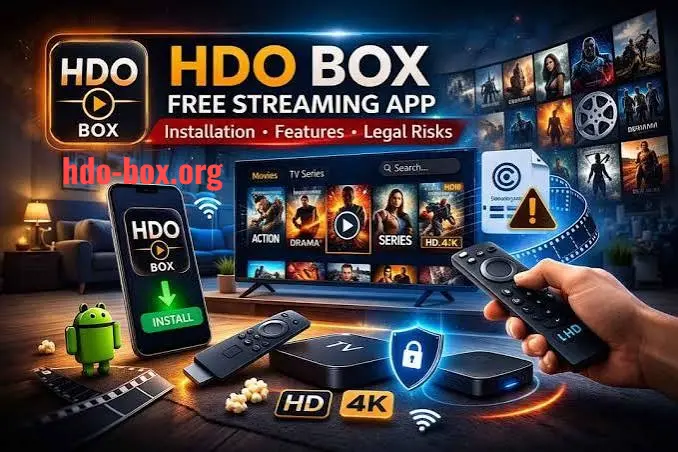
How to Download and Install HDO Box Mod APK on Android
Step 1: Open Your Mobile Web Browser
- Navigate to your mobile web browser and open Google Chrome.
Step 2: Search for the Official HDO Box Website
- Search for the app and find the official or trusted website. It is an APK app that is not available like normal apps on the Google Play Store.
Step 3: Choose the Correct APK Version
- Find the latest version of this app to download and install.
Step 4: Enable Unknown App Permissions
- Go to Android Settings > Apps > Special App Access > Install Unknown Apps, select your browser, and toggle on Allow from this source. These are important settings for the APKs.
Step 5: Locate the Saved APK File
- Open the download menu in the browser and navigate to the Downloads folder to find the HDO Box APK file.
Step 6: Install the Application
- After the download ends, tap to install the app. The installation just takes a few seconds.
Step 7: Tap to open the app and Start Streaming
- Find the app and tap to open it, and enjoy movies with smooth HD playback.
HDO Box APK for PC & Mac
You can download the app on a PC using an Android emulator. So follow the guide below.
Step 1: Install an Android Emulator on Your Computer
- Download and install BlueStacks 5 or NoxPlayer on your Windows PC or Mac, then open the program on your PC or Mac.
Step 2: Download and Sideload the APK
- Save the HDO Box APK file to your computer and drag it directly into the emulator window to install.
Step 3: Launch HDO Box and Start Streaming
- Now click the app in the emulator, install the player if needed, and enjoy watching.
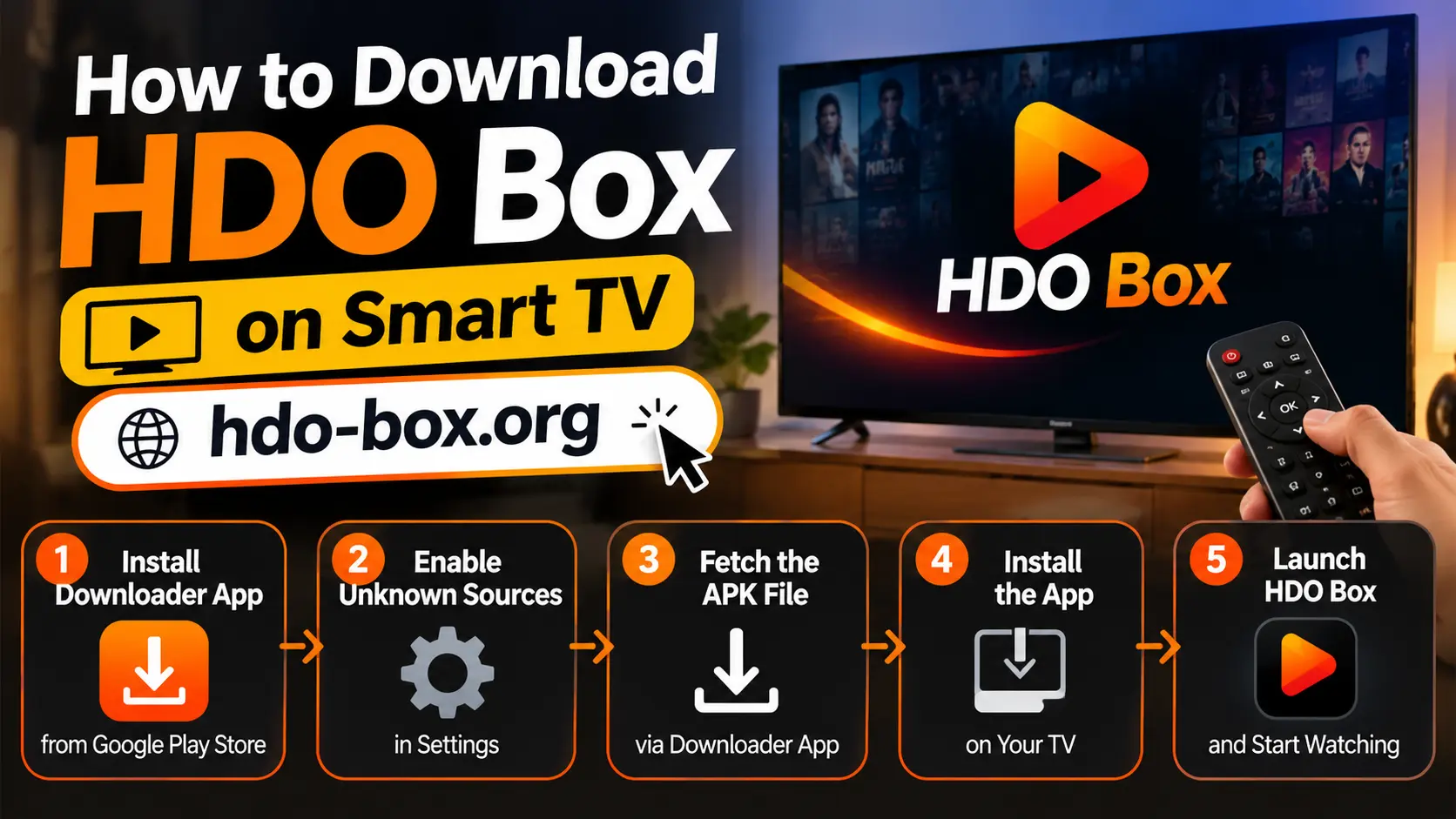
HDO Box APK for Smart TV & Android TV
This movie streaming app offers cinema-grade movies, trending TV series, and global entertainment directly to your living room with remote-friendly navigation and full D-pad support. This means the app works with smart TVs and Android TVs. Follow the guide below to download the app on your smart TV.
Step 1: Install the Downloader App on Your Smart TV
- Open the Google Play Store and install the Downloader app.
Step 2: Enable Unknown App Permissions for Downloader
- Open Settings > Security & Restrictions > Unknown Sources on your Smart TV and turn permission ON for the Downloader app.
Step 3: Fetch the APK File
- Open the Downloader app on your Smart TV and type the app name or paste the download URL into the address bar, then press Go.
Step 4: Install the Application on Your TV
- Now click to install the app. The installation just takes a few seconds, so wait.
Step 5: Launch HDO Box and Start Watching
- Open HDO Box from your Smart TV’s Apps row, install the companion player if prompted, and use your remote to play any movie.
How to Download HDO Box on FireStick
Let’s FireStick users download the app and enjoy thousands of on-demand movies and TV shows straight to your Amazon FireStick with smooth HD playback and built-in subtitles. Follow the steps below.
Install Downloader App
- First, go to Find > Search on your FireStick home screen, search for Downloader, and install the orange app.
Enable Developer Options
- Go to Settings > My Fire TV > About, then click your Fire TV device name 7 times until Developer Options unlocks. Go back and turn on Install Unknown Apps for Downloader.
Enter URL & Install
- Open Downloader, enter the download URL, click Install, and delete the APK file afterward to save space.
Features of HDO Box APK
Zero-Signup Movie Playback
HDO Box lets viewers stream movies instantly. The app does not require a signup process. This is the best feature to protect your private information. You do not need to share your Gmail or other users’ information. This streaming app skips messy sign-up forms and tedious account verification steps. After downloading the app, simply open it and enjoy a clean media dashboard with your favourite TV shows and movies. Enjoy smooth HD playback without extra hurdles.
User-Friendly Layout
This streaming app is user-friendly. It offers effortless streaming. The app has a simple layout that makes video streaming smooth and interruption-free. The main attractive thing is that HDO Box skips the tricky technical setups, confusing server menus, or complex player settings. Even new users can use the app. Enjoy movies with this intuitive Android media dashboard on any screen.
Fast Movie & Cast Discovery
This streaming app offers an instant search engine option for fast movie discovery. It also brings a smart genre filter that filters massive on-demand catalogs by release year, language, and popularity, making content discovery effortless across action, anime, and global cinema categories without endless scrolling through crowded menus.
Massive On-Demand Media Library
This movie streaming app unlocks a massive on-demand media library filled with thousands of movies, web series, and global television episodes. All the content is neatly arranged, including action blockbusters, emotional dramas, light comedies, sci-fi adventures, spine-chilling horror, Japanese anime, and real-life documentaries. So HDO Box users can effortlessly browse entertainment anytime.
Smart Video Player & Gestures
This app comes with a responsive built-in media player. A media player plays a very important role while watching movies. The special thing is that this video player offers touch gestures for effortless HD video playback. You can easily control all settings without any issues. It also allows you to change the video settings and speed for a comfortable viewing experience.
Multilingual Subtitle Support
In this app, you can find bundles and built-in subtitle downloads. So viewers can easily track the captions in English, Spanish, French, German, Arabic, Hindi, and Portuguese. With HDO Box APK Download, users can enjoy crisp, lag-free captions without hunting for external subtitle websites. Select a suitable subtitle track and adjust subtitle timing when the text appears too early or too late during video playback. Enjoy smooth movie viewing with multilingual subtitle support and watch any movie in your preferred language.
High-Quality Video Streaming
This streaming app adjusts streaming quality smoothly between 720p, sharp 1080p Full HD, and ultra-clear 4K Ultra HD based on your screen resolution. Viewing movies in HD and 1080p quality is a dream for movie fans. This makes your movie night effortless across mobile screens, TVs, and tablets. Watch every movie and TV show in ultra HD quality.
Multiple Backup Streaming Servers
HDO Box APK links every movie and show to multiple backup streaming servers so playback stays smooth and reliable. It ensures nonstop streaming. If one link lags or drops out, viewers can easily switch to an alternate mirror link. This feature gives you a smooth and frustration-free viewing experience.
Floating Picture-in-Picture Mode
It offers Picture-in-Picture mode so viewers can shrink active video streams into a compact floating window on smartphones and tablets. This is the best feature for multitasking. You can watch movies or series while replying to messages, browsing feeds, or checking apps simultaneously. So enjoy your favourite movies anywhere on screen without pausing your entertainment session.
Built-In Offline Download Manager
HDO Box includes a built-in download manager that saves full episodes and movies. It uses your smartphone’s local storage and saves all the movies on your device. So users can access this entertainment data anytime. Without using mobile data, viewers can download films before flights, road trips, or weak signal zones to watch. Enjoy smooth on-device video playback anytime with zero buffering or network dependence.
Trailer Viewing
Trailer viewing is a great feature. Let viewers stream official HD trailers, browse cast biographies, and read clear plot summaries before pressing play. This feature helps you pick the right movie without wasting time.
Real-Time Movie & Episode Alerts
HDO Box APK Latest Version offers real-time movie and episode alerts so you can users can updated when new movie comes. Whenever fresh movies or weekly episodes land in its streaming library, its smart system sends a notification. So users can spot brand-new releases without any confusion.
OLED Dark Mode & Light Theme
OLED Dark Mode gives you a smooth and more comfortable viewing experience. This feature is very helpful, and it cuts screen glare during late-night watching. It eases eye strain and saves battery life on phone displays.
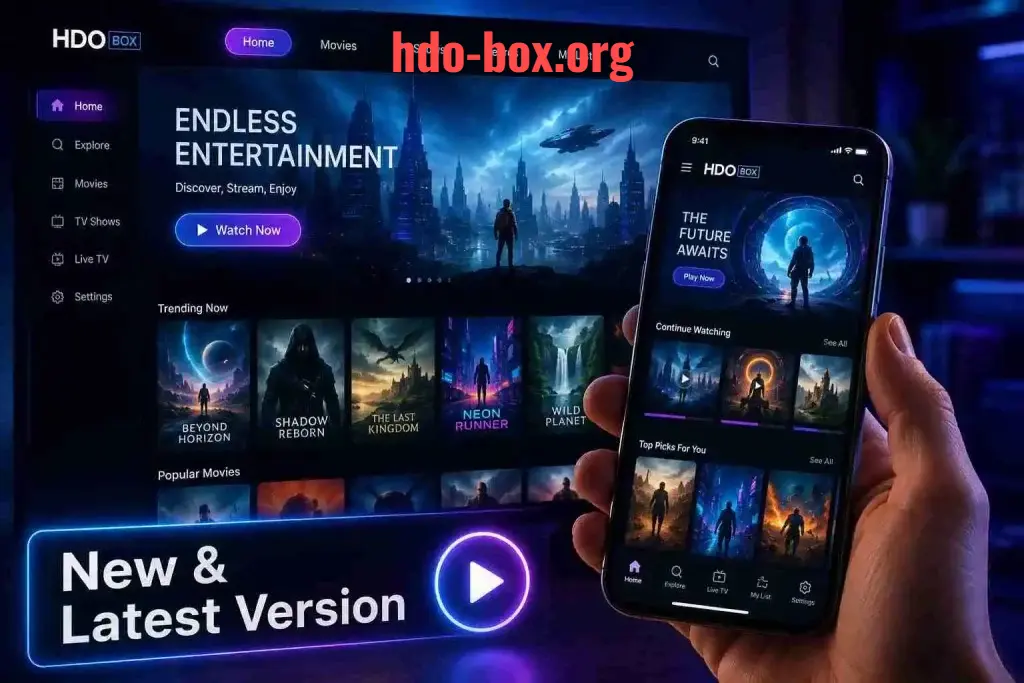
How to Troubleshoot HDO Box APK
Follow the guide below to fix any issues with this app.
Buffering Issues
- Buffering is very irritating when it happens while watching movies and shows. If you are struggling with buffering issues, then lower the streaming quality to enjoy non-stop streaming.
- Also, use a stable WiFi.
- Clear the storage from your RAM.
APK is Not Instaling
- Allow all unknown permissions in the settings.
- Also check that your device storage is full. If the storage is full, then clean it.
Fix Video Player Issues
- Video playback may fail because of missing audio codecs or problems with hardware decoding.
- Install a compatible player: Try installing MediaOn Player or Drama Player if the video has no sound or does not play correctly.
How HDO Box APK Compares to Tubi, Pluto TV, Stremio, and BeeTV
| Capability | HDO Box | Tubi TV | Pluto TV | Stremio | BeeTV |
|---|---|---|---|---|---|
| Pricing | Free | Free with ads | Free with ads | Free core app | Free |
| Account Required | No | Optional | No | Required for some features | No |
| Installation | APK sideload | Official app stores | Official app stores | Official stores and web | APK sideload |
| Maximum Resolution | Up to 4K | Up to 1080p | Up to 1080p | Up to 4K via add-ons | Up to 1080p / 4K |
| Advertisements | Varies by version | Regular ad breaks | TV-style commercials | None in core app | Varies by version |
| Debrid Support | Version-dependent | Not supported | Not supported | Available through add-ons | Supported |
| Watchlist Sync | Trakt integration | Account sync | Not supported | Account and Trakt sync | Trakt integration |
| Live TV Channels | No | Limited live feeds | Large live channel lineup | Depends on add-ons | No |
| Subtitle Languages | Multiple languages | English and Spanish | English and Spanish | Depends on add-ons | Multiple languages |
Pros and Cons of HDO Box APK
Pros
- This app allows quick movie playback with minimal setup.
- It provides multiple server choices when one stream slows down.
- Movie fans can explore rich genres like action, horror, and anime.
- It also includes built-in subtitle options and timing adjustments.
- Users can enjoy high-resolution streams up to 4K on supported links.
- This streaming app works smoothly without forcing account registration.
- You can switch between light and dark themes for comfortable viewing.
- The app brings trailers, cast details, and plot summaries in one place.
- You can save selected titles for offline viewing on supported devices.
- Users can enjoy floating playback on mobile screens while multitasking.
- This app supports big screens like Android TV and FireStick via sideloading.
Cons
- This app requires manual APK sideloading instead of official store installs.
- It provides links that sometimes need an external player for playback.
- Users can face broken or slow servers during peak hours.
- The app brings occasional ads depending on the build and source.
Final Review
HDO Box APK lets viewers enjoy HD and 4K high-resolution videos without any subscription. This streaming app brings many features for free. It acts as a smart alternative to paid OTT subscriptions. This media hub helps audiences enjoy live streams and TV series at no charge while protecting privacy without asking for personal details. With smooth and uninterrupted navigation, you can start movies and read native-language subtitles smoothly without annoying pop-up ads. In short, this is a fast, flexible streaming hub bringing movies, series, and multi-language subtitles together across mobile and TV screens with simple setup.
FAQs
Can you stream content on HDO Box APK without paying anything?
Yes, you can watch movies and shows at zero cost without monthly subscription fees.
Why do you need Drama Player or MediaOn Player for playback?
This streaming app pairs with dedicated external players to decode video streams smoothly and handle subtitles cleanly.
Does HDO Box APK run natively on iPhones and iPads?
No, this media app is built for Android devices rather than standard iPhone or iOS systems.
What is the setup process on Android TV and Amazon Firestick?
Get the Downloader utility from your TV store, turn on unknown app permissions in developer settings, type the download code, and run the installer.
Is rooting or jailbreaking required before installing the app?
No, this movie app installs normally on standard devices without rooting Android or jailbreaking iOS.